
What happens when your AI chat, email, and call data all flow into one CRM — a practical guide

Imagine a world where your customer interactions aren’t scattered across a bunch of different apps. No more digging through old chat logs, hunting for that one email thread, or trying to remember what was said on a call last week. When your AI chat, email, and call data all start flowing into a single Customer Relationship Management (CRM) system, things get a whole lot simpler. This unified approach transforms how your team works and how customers experience your brand.
Think about it: your AI chatbot captures initial interest, gathering details and answering common questions. Then, emails come in with specific inquiries or follow-ups. Calls happen for more complex discussions or to close deals. Normally, these pieces of information live in separate places, creating gaps. But when they all feed into one CRM, each interaction builds on the last.
Here’s a glimpse of what that looks like:
- AI Chat Logs Automatically Sync: Every conversation your AI has with a prospect or customer is logged directly against their record in the CRM. This means no manual copying and pasting of chat transcripts.
- Email Automation Updates CRM Fields: When a customer replies to an email or a specific keyword is detected, your CRM can automatically update fields, like their interest level or status, without anyone lifting a finger.
- Call Summaries and Sentiment Appear Instantly: After a call, AI can generate a summary and even assess the customer’s sentiment. This information pops up right on the customer’s profile in your CRM, giving anyone who interacts with them immediate context.
This isn’t just about convenience; it’s about creating a smarter, more responsive business. It means your sales team can walk into a call knowing the entire history, your support team can resolve issues faster because they have all the details, and your marketing team can use real conversation data to make their campaigns more effective. It’s about having a complete picture, all in one place, so you can serve your customers better. Building effective AI solutions is key to this transformation, and understanding the process can help develop scalable solutions.
Having all customer communication data in one place means your team spends less time searching for information and more time actually helping customers or closing deals. It cuts down on mistakes and makes everyone more efficient.
The data silo problem: why most businesses have three tools that don’t talk to each other
Think about how many places customer information lives in your company right now. You’ve probably got your AI chat logs tucked away somewhere, maybe in a separate platform. Then there are all those emails – a whole history of back-and-forth that might be buried in individual inboxes or a shared inbox that’s a mess to search. And don’t forget the calls. Are those notes typed up and saved in a document? Or just remembered by the person who made the call?
What it costs your team when chat history, email threads, and call notes live in different places
This fragmentation isn’t just annoying; it actively hurts your team’s ability to do their jobs well. When a customer reaches out, and the agent has to hunt through three different systems to get the full picture, it’s a huge time sink. Imagine spending ten minutes piecing together what a customer already told someone else via chat, then in an email, and then on a call. That’s ten minutes that could have been spent actually solving a problem or closing a deal.
Here’s a quick look at what that fragmentation can mean:
- Wasted time: Reps spend significant time searching for information instead of engaging with customers.
- Missed opportunities: Important details or buying signals can get lost when they aren’t logged in a central place.
- Repetitive questions: Customers get frustrated when they have to explain their issue multiple times to different people.
The customer experience impact of agents who don’t have the full conversation history
From the customer’s point of view, this is a really bad look. Nobody likes repeating themselves. When a support agent doesn’t know what a customer already discussed with sales, or when a sales rep isn’t aware of a recent support issue, it makes the company seem disorganized and frankly, a bit clueless. It erodes trust. Customers start to feel like just another ticket number, not a valued individual. This disconnect directly impacts customer satisfaction and loyalty.
When customer interactions are scattered across different tools, it creates friction. Agents are forced to act without full context, leading to slower resolutions and a feeling of being misunderstood for the customer. It’s like trying to have a conversation with someone who only hears half of what you say – frustrating and unproductive.
This isn’t just about having notes; it’s about having a complete, easily accessible record of every touchpoint. Without it, you’re essentially asking your team to work with one hand tied behind their back, and your customers are paying the price.
What a unified AI communication and CRM setup looks like in practice
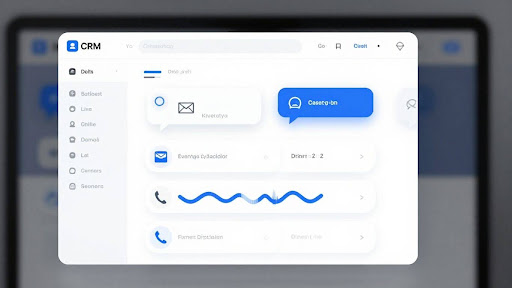
So, what does this all look like when you actually use it? It’s not some futuristic fantasy; it’s about making your daily work smoother and smarter. Imagine this: your AI chat logs don’t just disappear into the ether after a customer interaction. Instead, they automatically get attached to the right customer record in your CRM. No more copy-pasting or trying to remember who said what. The same goes for emails. You can set up simple rules, like if an email from a known contact comes in, it automatically updates their status or adds a note to their CRM profile. It’s like having a personal assistant who never forgets a detail.
And calls? After a call wraps up, the AI can generate a quick summary, maybe even noting the customer’s mood or sentiment. This summary then pops right into your CRM, giving anyone who looks at that customer’s file an instant understanding of the recent interaction. It’s about having all the pieces of the conversation, from every channel, neatly organized in one place.
How AI chat logs sync automatically to your customer record
When a customer chats with your AI bot or a live agent through your website or app, that entire conversation gets logged. The system is smart enough to match the chat to an existing customer profile in your CRM based on their email or phone number. If it’s a new contact, it can create one on the fly. This means every question asked, every problem solved, and every piece of feedback given is right there, attached to the customer’s history. No more digging through separate chat platforms to find what you need.
Email automation triggers that update CRM fields without manual entry
Think about common email exchanges. A customer replies to a quote, confirming they want to move forward. Instead of someone manually updating their status in the CRM to ‘Deal Won’ or ‘Proposal Accepted,’ an automation can do it. You can set up triggers: if an email contains specific keywords like ‘approved’ or ‘yes, let’s proceed’ from a customer in a certain stage, the CRM automatically updates the relevant field. This saves a ton of time and reduces the chance of human error.
Call summaries and sentiment scores that appear directly in your CRM after every call
After a phone call, especially if it was handled by an AI assistant or recorded for review, the system can process the audio. It transcribes the conversation and then uses AI to create a concise summary. It can also analyze the tone of voice and language used to give you a sentiment score – was the customer happy, frustrated, or neutral? This summary and score then appear as a new activity on the customer’s record in the CRM. It’s like getting a quick briefing note after every single call, so you’re always up to speed.
This integrated approach means your team isn’t spending time hunting for information across different tools. They have a clear, chronological view of every interaction, making it easier to understand the customer’s journey and provide better service or make a more informed sales pitch. It’s about connecting the dots so your team can focus on the human element of business.
The business advantages of 360-degree customer communication data
When all your customer interactions – chats, emails, and calls – finally talk to each other and feed into your CRM, things start to change. It’s not just about having more data; it’s about having the right data at the right time. This unified view means your team isn’t fumbling around in the dark anymore.
Sales teams that walk into every call knowing the full customer context
Imagine this: before a sales call even begins, your rep already knows what the customer asked about on chat last week, what emails they’ve opened, and any previous call notes. That’s what happens when everything is connected. Your sales team doesn’t have to waste precious minutes asking the customer to repeat themselves or guess what they might need. They can jump straight into a meaningful conversation, addressing specific concerns and building on previous interactions. This level of preparation makes your sales team look incredibly professional and informed, which builds trust instantly.
Here’s how it plays out:
- Personalized Opening: Reps can start calls with a personalized greeting that references a recent interaction, like, “I saw you were looking into our pricing options on the website yesterday…”
- Proactive Problem Solving: If a customer had an issue on chat, the sales rep can proactively ask, “I noticed you had a question about X on our chat support. Did you get that resolved, or is that something we can discuss now?”
- Efficient Qualification: Sales reps can quickly assess a lead’s interest and needs based on their communication history, spending less time on unqualified prospects and more time on those ready to buy.
Having all communication history in one place means your sales team can move from being reactive to proactive. They’re not just responding to what the customer says now, but anticipating what they might need based on everything they’ve said before.
Support teams that resolve issues faster because the history is right there
Customer support is often where the rubber meets the road. When a customer reaches out with a problem, they want it fixed quickly. If your support agent has to dig through different systems to find out what happened before – maybe a chat transcript, an email thread, or a previous ticket – it slows everything down. With a unified CRM, all that history is visible immediately.
- Reduced Handle Time: Agents can access the full conversation history in seconds, cutting down the time spent searching for information. This means quicker resolutions for the customer.
- First Contact Resolution: With complete context, support agents are more likely to solve the issue on the first try, leading to happier customers and fewer repeat contacts.
- Consistent Experience: No matter who the customer talks to, they get a consistent experience because every agent has access to the same complete history.
Marketing teams that use real conversation data to improve messaging and campaigns
Marketing often feels like guesswork. You try different messages, run ads, and hope something sticks. But what if you could base your marketing on what your customers are actually saying? When chat logs, emails, and call notes are all in your CRM, your marketing team gets a goldmine of real-world language and customer pain points.
- Better Content Creation: Marketing can see the exact words and phrases customers use when describing problems or desired outcomes. This language can be directly incorporated into website copy, blog posts, and ad campaigns, making them more relatable.
- Targeted Campaigns: By analyzing the types of questions and issues that come up across different customer segments, marketing can create more targeted campaigns that speak directly to specific needs.
- Product Feedback Loop: Marketing can identify recurring themes or feature requests mentioned in conversations, providing valuable feedback to product development teams.
| Communication Channel | Data Captured in CRM | Marketing Insight Example |
| AI Chat | Key questions, product interest, common pain points | Use chat keywords in website FAQs and SEO strategy |
| Inquiry topics, purchase intent signals, objections | Tailor email nurture sequences based on common questions | |
| Phone Calls | Detailed needs, budget discussions, competitor mentions | Develop ad copy that addresses specific objections or highlights competitive advantages |
Bringing It All Together
So, what’s the big takeaway here? When your AI chat, email, and call data all start talking to your CRM, it’s not just about having more information. It’s about making that information actually useful. Your team stops chasing down details and starts having better conversations. Deals move faster because everyone’s on the same page, and customers get a smoother experience. It’s a shift from scattered messages to a clear, connected view that helps your business grow. It really just makes sense to get all those pieces working together.
Frequently Asked Questions
What happens when all my customer conversations (chats, emails, calls) go into one CRM?
When all your customer chats, emails, and call notes are collected in one place, like your CRM, your team gets a complete picture of every customer. This means they can see the whole story of past conversations, making it easier to help customers and make sales.
Why is it bad if chat, email, and call info are in different places?
It’s tough for your team when conversation details are scattered. Imagine trying to help someone, but you only have half the story because their email is in one system, their chat in another, and call notes in a third. This makes helping customers slower and can lead to frustration for everyone.
How does AI help put all my customer conversations together in a CRM?
AI can automatically save your chat logs, summarize your calls, and even understand the feeling behind a customer’s message. This information is then added straight to your customer’s record in the CRM, so your team always has the latest updates without doing extra work.
What are the benefits for my sales team if they have all customer info in one place?
Sales teams can walk into every meeting knowing exactly what the customer has talked about before. This helps them have more meaningful conversations, answer questions better, and close deals faster because they’re not starting from scratch each time.
How does having all conversation data help my support team?
Support agents can solve problems much quicker. Since they can see the entire history of a customer’s interactions – chats, emails, and calls – right there in the CRM, they don’t have to ask the customer to repeat themselves. This leads to happier customers.
Can AI really make my marketing better using customer conversations?
Yes! By looking at real customer chats and calls, your marketing team can understand what customers really care about. They can then use this information to create better ads and messages that speak directly to what people are looking for.
Latest Post

What Our Client
After deploying the AI chat widget on our website, we experienced a 35% increase in lead conversions within the first two months. The chatbot instantly engages visitors, qualifies prospects, and routes high-intent inquiries directly to our sales team. It works 24/7, ensuring we never miss an opportunity — even outside business hours.
Marketing Director
The AI Email Responder completely transformed how we manage customer communication. It automatically categorizes, prioritizes, and responds to hundreds of daily inquiries with accurate, human-like replies. Our team now focuses on strategic growth instead of repetitive emails, and our response time has improved dramatically.
E-Commerce Founder
Onivaan’s AI solution streamlined our entire customer support process. We reduced response times by over 50% and significantly increased customer satisfaction scores. The system handles FAQs, appointment scheduling, and common troubleshooting instantly, allowing our support agents to concentrate on complex cases.